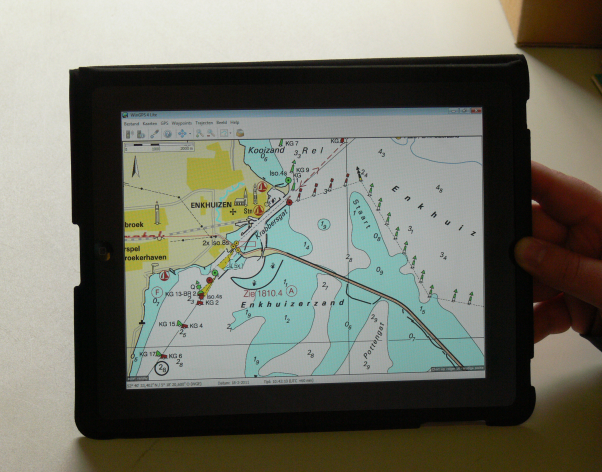
 More and more skippers have bought an iPad or Android tablet to use onboard.
It is not possible to install WinGPS on your tablet for now but it can be used as an extra monitor. By using an external program like iDisplay, you can turn your tablet into a navigation device. Zooming and operating WinGPS is done easily with your fingers.
The iPad/tablet does not need to have GPS or 3G, making even the cheapest iPad suitable. Bluetooth needs to be turned off on the iPad.
An advantageous and simple solution, tested by our users, is an iPad connected to a Windows 7 netbook. Connectify turns your netbook into a Wifi hotspot, which allows you to communicate with your tablet onboard.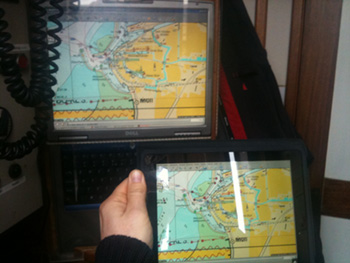 In the figure to the right you see a Navbook which is connected trough a Bluetooth multiplexer to the (Raymarine) system. This also shows AIS targets. The laptop is connected to a Wifi access point so communication can go to and from the iPad. The iPad does not only show our position but the AIS targets and our polar diagram as well.
Below is a video of an iPad onboard. We thank the skipper of Eelske Medde.
Your comments and experiences with tables is apreciated. We would like to share them with other users.
Send an e-mail to helpdesk@stentec.com.


 Are you still looking for a version of WinGPS that better suits your needs and boating trips?
Now is the perfect time to take a closer look at your navigation...
Are you still looking for a version of WinGPS that better suits your needs and boating trips?
Now is the perfect time to take a closer look at your navigation...
 The warm weather made for a wonderful season to be out on the water. At the same time, this poses major challenges on Dutch and European waterways.
Water...
The warm weather made for a wonderful season to be out on the water. At the same time, this poses major challenges on Dutch and European waterways.
Water...
 Good news: there’s a major update for our WinGPS navigation app for iOS WinGPS Marine Plus!
With this paid version of WinGPS for your iPad and/or iPhone, you...
Good news: there’s a major update for our WinGPS navigation app for iOS WinGPS Marine Plus!
With this paid version of WinGPS for your iPad and/or iPhone, you...